On this page
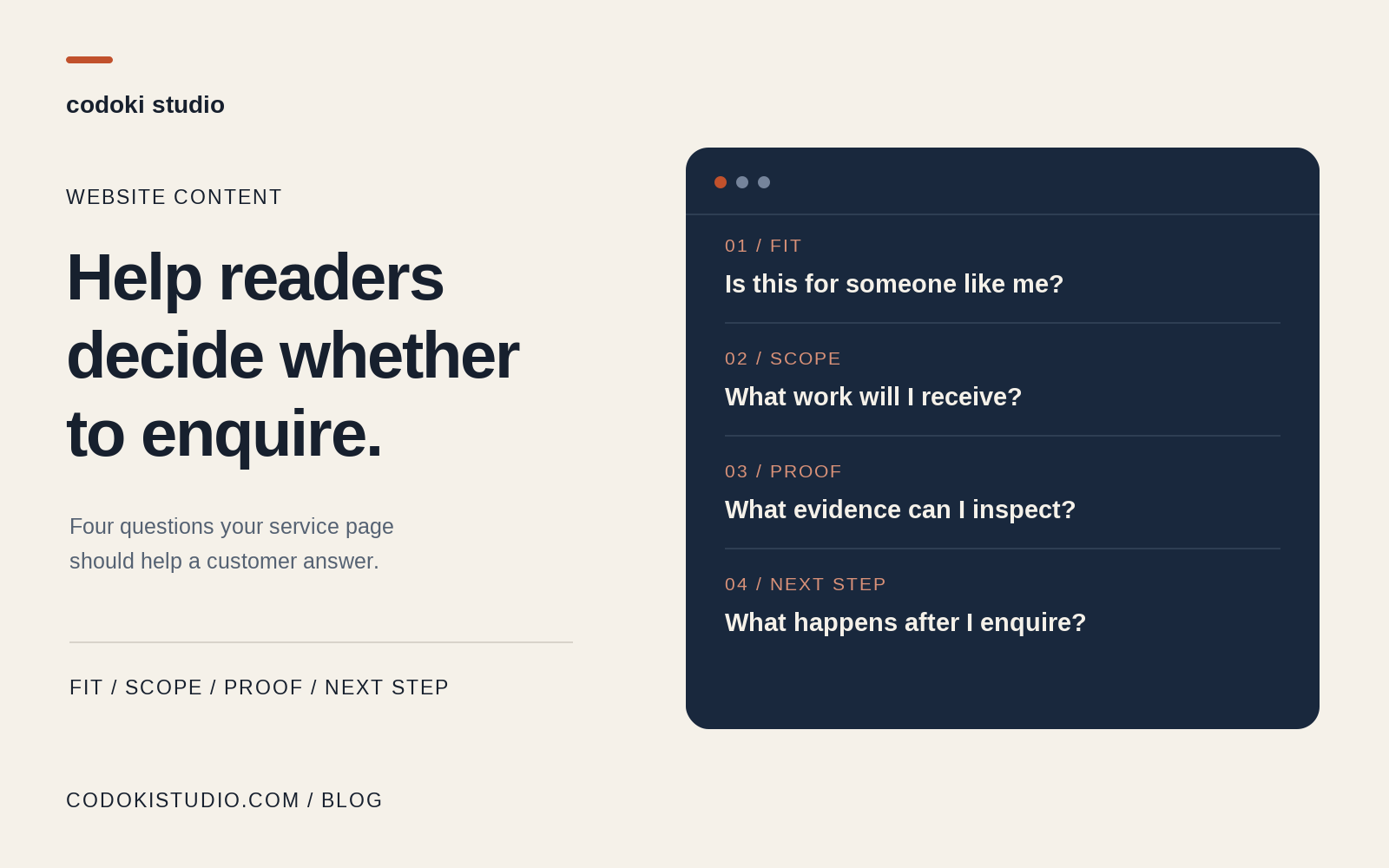
A service page should help a potential customer decide three things: whether you do the work they need, whether there is a reason to trust you, and what happens if they get in touch. A polished page can still leave those questions unanswered. Start with the buying decision before choosing another animation, slogan or section.
This guide is for UK business owners reviewing a page for one service. It gives you a writing and review exercise, not a promise of more enquiries. Use it on an existing page before assuming that the whole website needs rebuilding.
Start with the customer’s job
Name the service in language a customer would recognise. Then explain who it is for and the situation it helps with. “Solutions that transform your business” could describe almost any supplier. A visitor should not need to decode your positioning before learning whether you can help.
Be specific where the distinction affects suitability: a one-off installation or ongoing support, homes or commercial sites, an existing system or a new build. Include the areas you genuinely serve when location matters.
Write a one-sentence answer to this prompt: “We help [type of customer] with [specific job], particularly when [relevant situation].” Treat that as a working brief. The final heading can be shorter, while the supporting sentence supplies the detail.
Show what the customer can actually ask for
Turn broad service labels into recognisable work. Explain the main tasks, what the customer receives and any important boundaries. If “website support” means content updates but excludes new booking functionality, saying so helps both sides start the right conversation.
- Included work: the tasks or deliverables normally covered, described plainly.
- Scope decisions: details that change the job, such as site access, existing systems or the amount of content.
- Boundaries: exclusions that would otherwise create a reasonable but incorrect expectation.
- Customer inputs: information or materials needed to assess the request.
Avoid presenting every possible option as standard. If the service is scoped individually, explain what you need to know before quoting. A short explanation of cost drivers is useful when a defensible fixed price is not available. Publish only prices and terms that the business has actually agreed.
Replace a vague introduction with useful detail
Before: “We deliver professional outdoor solutions with exceptional customer service. Our experienced team is committed to exceeding your expectations. Contact us today.”
After: “Garden maintenance for small workplaces in Northampton. Tell us about your lawns, planted areas and the access available, and we can discuss a regular visit plan. Visits can cover mowing, weeding and seasonal tidying. Tree surgery and new landscaping are quoted separately.”
The second version gives the reader something to assess: the customer type, service area, likely work and exclusions. It also introduces details the supplier needs for the next step. It is not automatically the right copy for another business; every statement would need checking against that business’s real service.
Use proof that answers a relevant concern
Choose evidence that helps someone judge this particular service. A short project explanation can show the initial problem, the agreed work and the delivered result. A genuine customer comment can address communication or reliability. A relevant image can show the finished work. These are different forms of evidence, not interchangeable decorations.
Keep claims proportionate to what the evidence establishes. A photograph does not prove a percentage increase in sales. An attractive mock-up does not prove that a product is live. If you have permission to show a project but no measured outcome, explain the work without inventing a result. Link to the fuller example where that is useful.
If you do not yet have suitable public proof, describe the process and show an explicitly labelled example. Do not fill the gap with anonymous quotations, unearned badges or logos that imply a relationship. A clear explanation is more useful than an unsupported claim of being the best.
Make the next step predictable
The action should match the service. “Request a site visit” suggests something different from “Ask about availability” or “Send your project brief”. Use wording that accurately describes what the button or form does. An enquiry should not look like an immediate confirmed booking if someone still needs to review it.
Beside the action, explain what information is useful and what happens after submission. State a response time only if the business can honour it. Where appropriate, offer another genuine contact route for someone who cannot use the form.
Ask for enough detail to understand the request without turning an initial enquiry into an application. Label the fields, identify required information and explain unfamiliar formats. W3C’s form guidance recommends clear instructions and warns that placeholder text is not a substitute for a label. Its tutorial is linked below for whoever implements the form.
Read the page as a first-time visitor
Open the page on a phone and give a colleague who did not write it a specific task: “Find out whether this service covers our situation and explain how you would enquire.” Ask them to point to the words that answered each question. Do not give hints while they read.
- 1Can they name the service and identify who it is for?
- 2Can they find the main work, boundaries and information needed for a quote?
- 3Can they distinguish real evidence from illustrative examples?
- 4Can they predict what clicking the main action will do?
- 5Can they read labels and instructions, complete the required fields and understand confirmation or errors?
Use a controlled test route for submissions, with whoever manages the site aware of the exercise. Record the question that caused difficulty and the missing or confusing content. This small review can reveal misunderstandings; it is not a conversion experiment or proof of how every visitor behaves.
Fix the unanswered question first
Prioritise corrections that change a buying decision: an unclear service, a missing exclusion, unsupported proof or an unexplained next step. Then review headings, spacing and mobile readability. The aim is a page that a suitable customer can understand and use, with each claim and action doing a clear job.
If you are commissioning a new page, take the answers into your website brief. Codoki Studio can help organise service content and build the page around the enquiry journey. Start by sharing the current page and the question customers keep asking; that gives the discussion a concrete starting point.