On this page
A spreadsheet can be a useful business system long after it stops looking tidy. Equally, a polished workbook can hide a process that depends on one person remembering who changed what. The decision to replace a spreadsheet with a web application should start with those operational problems, rather than the number of rows or a desire for a more modern screen.
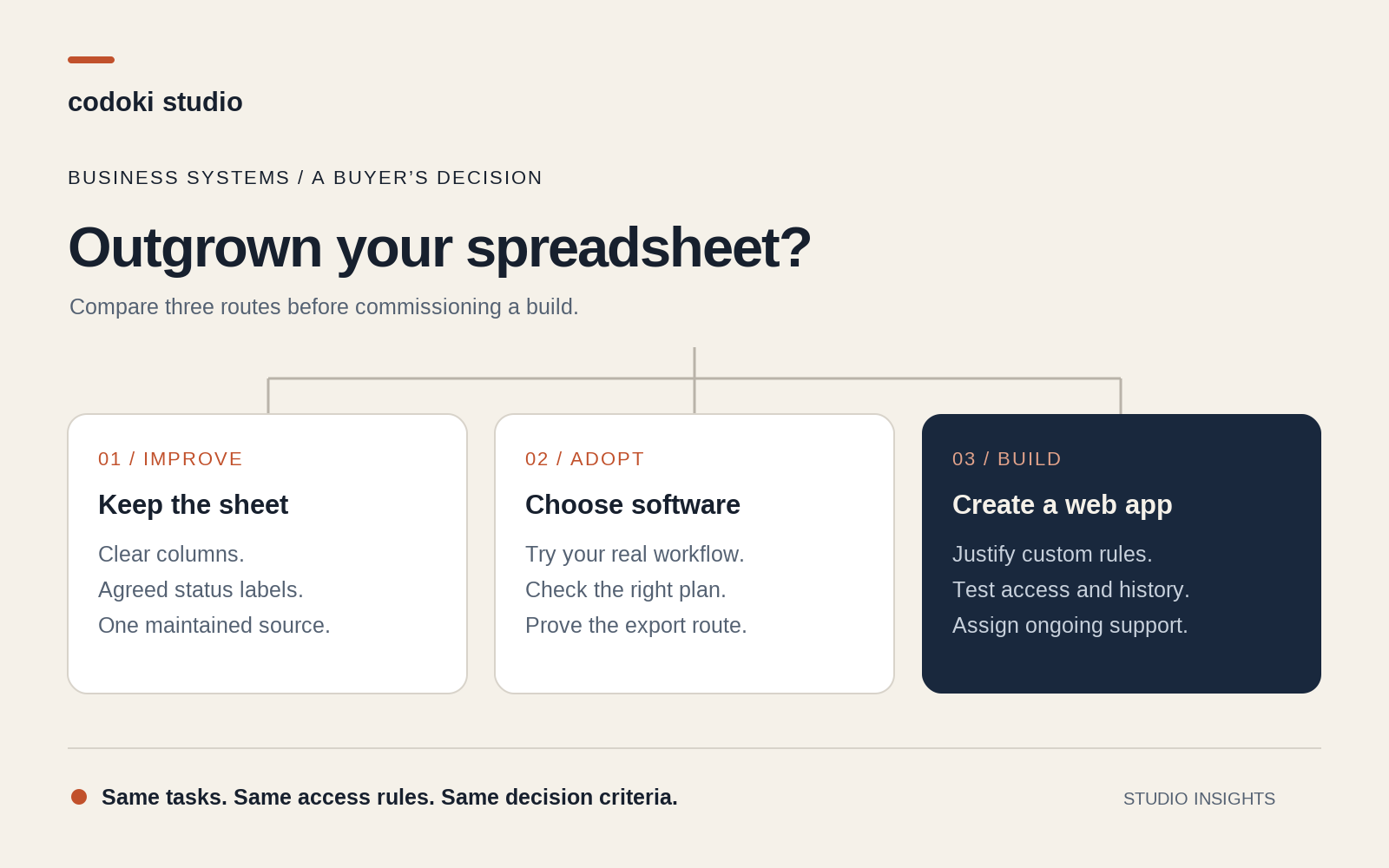
For a small UK business, there are three practical routes: improve the spreadsheet, adopt existing software, or commission a custom web application. Compare all three against the same real tasks before choosing. This guide helps you make that decision; a development brief comes afterwards.
Describe the failure before choosing the replacement
Keep a short record of the occasions when the current process causes trouble. Describe what someone was trying to do, what went wrong and what they had to do next. “The tracker is slow” is difficult to evaluate. “The coordinator checks three copies to find the latest job status” gives you a specific problem to investigate.
- Separate information problems from workflow problems. Inconsistent customer names need cleaning whichever tool you choose.
- Identify who needs to see or change each record. A shared team list and a customer-facing portal have different access requirements.
- Explain which changes need a history: who reassigned a job, changed a deadline or reopened completed work.
- Name the workarounds. Copying rows into another file, asking for updates by message and manually rebuilding reports may reveal the missing capability.
Also check whether the process itself is agreed. If colleagues disagree about what “complete” means, software will preserve that disagreement until somebody resolves it.
Compare three routes using the same requirements
1. Improve the spreadsheet
This is worth testing when a small trusted group shares the same information and the main problems are inconsistent entry, unclear ownership or scattered copies. A single agreed file, defined columns, validated status choices and a documented update routine may address the immediate issue. Test the collaboration and version-history features available in your existing setup before assuming they are missing.
The tradeoff is responsibility: someone still has to maintain formulas, check imports and explain the rules. Protecting cells against accidental editing is also different from restricting access to confidential records. Microsoft states that Excel worksheet protection is not a security feature. If different people must be prevented from accessing different records, assess the actual access controls rather than relying on hidden tabs or locked cells.
2. Buy existing software
Investigate established job-management, booking or customer-management software when your process resembles the work those products already support. Ask a supplier to demonstrate your scenarios with fictional records. Check the available subscription tier, user permissions, history, imports, exports and any integration you actually require; a feature name on a comparison page is insufficient.
This route can avoid commissioning every part of a system, but may require changing how the team works. Compare the ongoing licence, configuration, training and support costs, including any charges for extra users or capabilities. Check whether your records and attachments can leave in a usable form. A familiar dashboard is less important than a workable process and exit route.
3. Build a custom web application
Custom web development becomes a stronger candidate when important rules, roles or integrations cannot reasonably fit suitable existing products. A browser-based application can be designed around those requirements, but the build also creates ongoing obligations: hosting, updates, support, access administration and recovery.
Define which requirements justify that responsibility. “We want our own system” is weaker evidence than “only the assigned technician may update this job, and reopening it requires a manager’s reason”. An application must enforce permissions, not simply hide buttons. OWASP recommends checking permissions on every request and denying access by default. Ask the developer how the proposed system will demonstrate those controls.
A fictional shared job tracker: what would change the decision?
Imagine a small sign-installation business using a shared spreadsheet. Each row contains a job reference, site, assigned installer, planned date and status. This is a fictional planning example, not a Codoki Studio client or a reported business result.
The coordinator assigns work. Installers report progress. A manager confirms completion and can reopen a job with a reason. The team wants to distinguish “installation finished” from “checked and closed”, and to retain the history when a job changes hands.
If everyone may see every job and the problem is inconsistent status wording, first trial an improved sheet with agreed definitions. If the team also needs mobile job updates, attachments and standard scheduling, trial suitable existing job-management software. Only move towards a bespoke application if an important requirement remains unmet after a realistic comparison, such as a particular approval sequence or integration with an existing production system.
For each option, demonstrate the same sequence: assign a job, reassign it, record installation, request a correction, close it and reopen it. Check what the installer can see at each stage and whether the manager can understand the change history. Record failures and workarounds. Do not select a custom build simply because its demonstration has a more attractive interface.
Write a decision record and run a small pilot
Use a one-page decision record to keep the choice reviewable. It should contain:
- The current problem and observed examples, with the person responsible for resolving it.
- Must-have rules and acceptable compromises, separated from optional features.
- The three routes considered, what each demonstration proved and what remains untested.
- Expected setup and ongoing responsibilities, with supplier estimates clearly separated from confirmed costs.
- The proposed pilot, its pass/fail conditions and the decision owner.
Start the pilot with fictional data and a small representative workflow. Include an ordinary job, a reassignment and an exception that staff currently handle manually. Once basic behaviour is understood, agree whether a controlled live trial is appropriate and how staff will avoid maintaining conflicting records.
For the fictional tracker, the pilot must show that assignments, permitted status changes, correction requests and the required history work. It should also demonstrate removing a user’s access, exporting records and recovering from an unsuccessful save. Agree how conflicting edits should behave. A scenario nobody has tested stays “not tested”; an impressive demonstration does not fill that gap.
Plan the move and the work after launch
Before importing anything, decide which file is authoritative. List the fields, identify duplicate records and give each job a stable reference. Agree how old status labels map to new ones and which historical records are worth migrating. Keep an untouched copy of the source and compare imported records with it, including dates, attachments and exceptions.
Set a cutover point: who stops edits in the old file, who checks the final import and what happens if the new system cannot be used. A rollback plan should explain what happens to work entered after cutover, rather than merely saying “return to the spreadsheet”.
Assign ongoing ownership before launch. Someone needs to approve new users, remove leavers, maintain the process and contact support. Agree who operates backups, how recovery will be demonstrated and who can obtain a usable export. Exporting records and restoring the whole working service are different tasks; check both. Include these responsibilities when comparing a subscription with a custom build.
Choose the smallest dependable system that meets the agreed needs. If improving the sheet solves the problem, keep it. If an existing product passes the scenarios, compare its full operating commitment. If a custom application is justified, use the decision record to begin a focused development brief. None of these routes requires AI by default.