On this page
“You can update it yourself” sounds like a simple website requirement. It might mean changing a sentence, adding a service page or scheduling a temporary notice. Those are different jobs. Before choosing a content management system (CMS), ask to try the updates your team will actually make.
A CMS provides an interface for managing website content, but the available editing controls depend on the system and how the site is built. A polished demonstration of someone else’s homepage does not show whether your team can change your own content without breaking a layout or publishing an unfinished page.
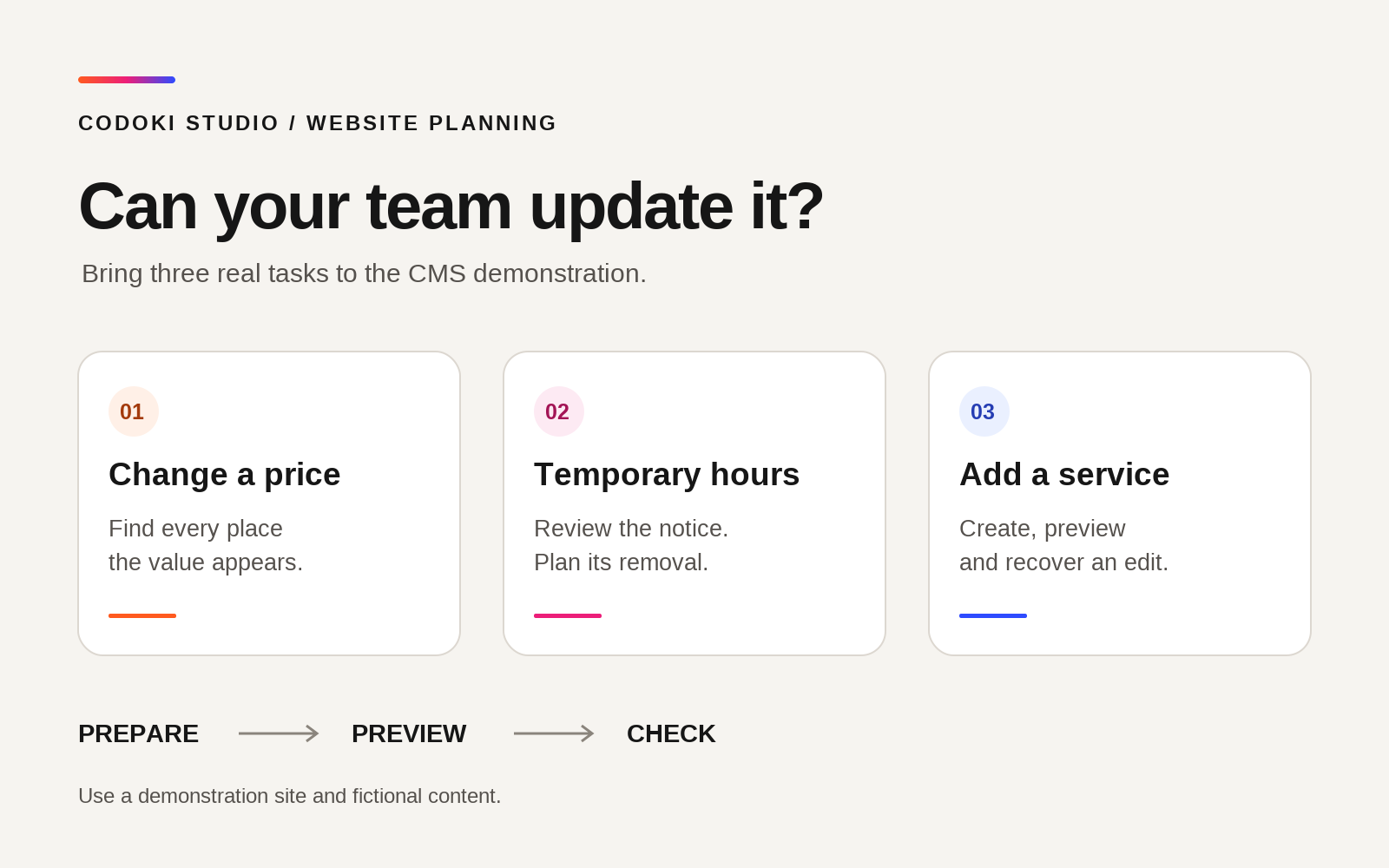
Bring three real editing jobs to the demonstration
Write down three changes your business expects to make. For each, identify the person doing the work, what else the change affects and who approves it. Use a demonstration site with fictional content. Do not experiment on a live customer journey or provide customer records, payment details or production account passwords.
The worked exercise below uses a fictional property-maintenance business. Its office coordinator prepares changes and its owner approves them. This is an example to adapt, not a customer case study, a recommended staffing structure or a promise that every CMS includes these functions.
Test one: change a price that appears more than once
The business wants to change the illustrative starting price for a service. That price appears on the service page, a summary card and an enquiry page. Ask the supplier to show where the value is stored. Does one edit update all three places, or must the editor find and change each copy?
Have the coordinator make the change in the demonstration. Preview each affected page, including its mobile layout, before publishing. Check that explanatory wording still matches the price. Record any separate changes needed in connected systems; changing website text does not necessarily update a booking or payment tool.
Test two: publish temporary opening hours
The business will close for a training day. Ask the coordinator to prepare a notice while the owner reviews it. Can the coordinator save an unfinished change without making it public? Can the owner see the intended result before approving it? Check what each account is allowed to publish, rather than assuming everyone needs administrator access.
Then decide how normal hours will return. If scheduling or automatic expiry is available in the proposed setup, demonstrate it with sample dates. If it is not, name the person who will remove the notice and set a reminder. Also list other places showing hours, such as a business profile, that the website editor does not control.
Test three: add a service without rebuilding the page
The business is adding gutter cleaning. Give the coordinator a sample title, description and image, then ask them to create the page using the proposed editing interface. Can they enter meaningful image text, see the page before publication and find where it should appear in navigation? Note which changes require the supplier’s help.
Make one deliberate mistake in this safe demonstration, such as removing a paragraph. Ask how it would be recovered. Some setups provide content revisions; others need a different recovery process. Establish what can be restored, who can do it and whether restoring a whole site would overwrite other recent work. Do not assume a backup makes every individual edit reversible.
Turn the demonstration into an agreed requirement
Keep one record for each job: the starting content, permitted editor, reviewer, affected pages, preview checks and recovery method. Mark the result as demonstrated, needing configuration, needing supplier help or not included. Use individual demonstration accounts where available; do not solve access problems by sharing a production password.
An editing feature that needs extra setup is not automatically a poor choice. The useful question is whether the arrangement fits the people maintaining your site. Carry the demonstrated requirements into the proposal, including any configuration, training or support that needs a separate scope. Choose the editing experience your team can use, rather than the longest feature list.