On this page
A small-business homepage has to introduce the business before it can persuade someone to enquire. A visitor may be comparing suppliers, checking whether you offer a particular service or returning with an existing question. Start by deciding which of those needs the page should help with, then choose the words, evidence and destinations.
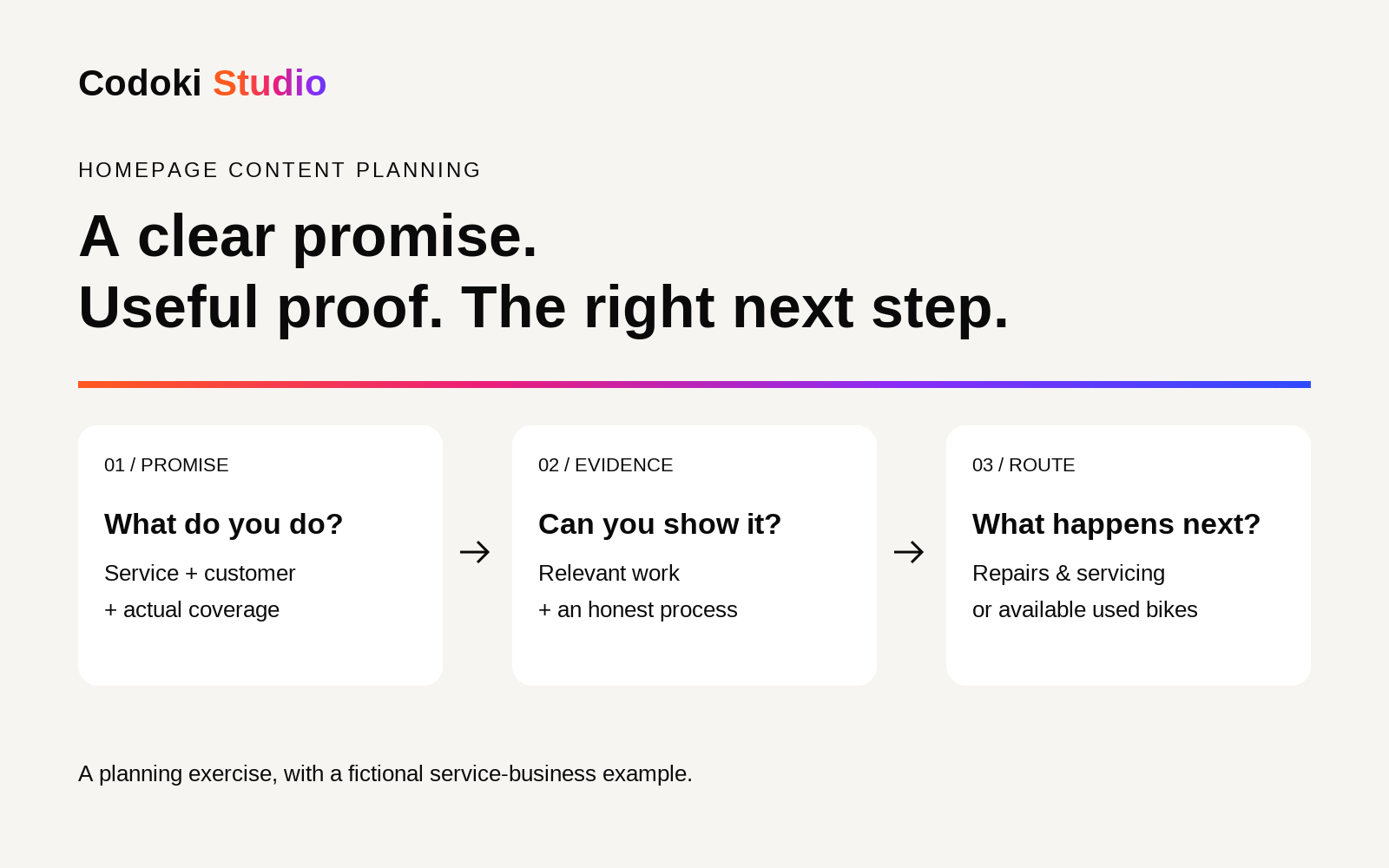
Our recommended planning method is to connect each important promise to something a reader can inspect and a sensible next step. This gives the owner and designer a practical brief. It does not prescribe a universal page length or guarantee more enquiries.
Nielsen Norman Group’s homepage guidance emphasises explaining the company’s purpose and providing clear starting points for important tasks. The exercise below applies those principles to a fictional small business.
Choose the decisions the homepage needs to support
Rivet has two different first-time visitors. One has a bicycle with an unfamiliar noise and wants to know whether the workshop can assess it. The other is looking for a used commuter bike and wants to see what is available. Both need to understand the business, but sending them immediately to the same general enquiry form leaves useful questions unanswered.
Write those needs at the top of the content brief: “Can you help with my bike?” and “Do you have a suitable bike to buy?” Add the practical route for existing customers, such as checking the status of a repair. That route can be easy to find without becoming the main introduction to a business a new visitor has not met.
Give the opening a concrete job
A weak opening might read: “Moving you forward. Quality solutions from a passionate team.” It leaves the reader to discover whether this is a bike shop, courier or coaching business. Personality can remain in the design and supporting copy, while the heading names what the customer can actually find.
The heading identifies the business, its two offers and its location. The supporting sentence distinguishes the two customer needs. Each proposed link has a different destination. This is a candidate opening to review with readers, not a formula to paste into every homepage.
Check the wording against real operations before publication. “Available bikes” needs a maintained stock page. If stock is not kept current online, a more honest route could be “Ask about used bikes”, with a clear explanation of how the team confirms availability. A confident phrase should not promise a capability the website cannot support.
Connect each promise to useful evidence
Create a short promise-and-evidence record before arranging homepage sections. For each important claim, write what it means, what can support it and where the reader can find the detail. A photograph, an explanation and a customer review answer different questions; choose the evidence for the concern rather than filling a template.
- Promise: we repair bicycles. Useful support: genuine workshop photographs and a clear list of repair work the business accepts. Destination: repairs and servicing, including limitations and the assessment process.
- Promise: our used bikes are serviced. Useful support: a truthful description of the checks carried out, plus accurate details and photographs for each bike. Destination: current bikes, with condition and availability explained.
- Promise: you can plan a visit. Useful support: confirmed opening arrangements and directions for the actual customer-facing workshop. Destination: visiting information, including whether an appointment is needed.
These are proposed evidence requirements, not assertions that the fictional workshop holds those materials. If a claim cannot be supported, revise it or leave it out. An owner can explain how an assessment works without inventing an award or implying that every repair has the same result. Obtain permission before publishing customer material, and describe only what that material establishes.
Show enough of each route to help someone choose
After the opening, Rivet could introduce two short sections. Repairs & servicing would explain the kinds of bicycles and work accepted, then link to the fuller assessment information. Used bikes would introduce the current selection and the information a buyer can inspect for each bicycle. The summaries should help a reader choose between the routes; they do not need to repeat every detail from both pages.
A section about the workshop can then explain who does the work and show genuine supporting material. Practical visiting information can sit beside the relevant next step. The order is a draft to test against the two visitor needs. A business with one core service may need a different arrangement from a shop with several product ranges.
Keep deep explanations on the pages where they belong. Detailed repair exclusions belong in service information; instructions for an enquiry belong on the contact journey. Link to those destinations from the relevant summary. This keeps the homepage useful as an introduction while giving a cautious buyer somewhere to investigate.
Review the draft with four questions
Show the opening and planned sections to someone unfamiliar with the business. Give them one of the two customer situations, ask them to read naturally and avoid explaining the intended answer. Repeat with the other situation. This is a small exploratory exercise, not a representative study or a conversion-rate test.
- 1What does this business offer, and who could use it? Ask the reader to point to the words that informed their answer.
- 2Which route would you choose for your situation? Ask what they expect to find at that destination before opening it.
- 3Which claim would you want to check before enquiring or visiting? See whether the page offers relevant evidence or a route to the detail.
- 4What would happen if you took the next step? Check whether they expect information, an enquiry, an appointment request or a confirmed booking.
Record the misunderstanding and the content involved. “The reader expected View available bikes to show stock, but it opened a form” points to a specific mismatch. “They did not like the homepage” does not tell the designer what to change. Amend the unclear promise or destination, then check that part again.
Hand over a content brief the business can maintain
Give your designer the agreed opening, the priority visitor needs, section summaries, supporting materials and destination for each link. Name who approves factual claims and who keeps changing information current. Stock, opening arrangements and service availability need an owner after launch, not just a place in the initial design.
Ask to review the finished page on a phone as well as a wider screen. Check that the service wording remains readable, the two routes are easy to distinguish and the linked pages deliver what the homepage promises. Codoki Studio can help turn those decisions into a website design brief; bring the current page and the questions customers still need to ask.