On this page
A website maintenance plan should tell you who keeps the site working, what they check and what happens when something fails. “Hosting and updates included” leaves too much open. It might cover the server bill while nobody checks whether enquiries arrive, a backup restores or an important subscription is about to expire.
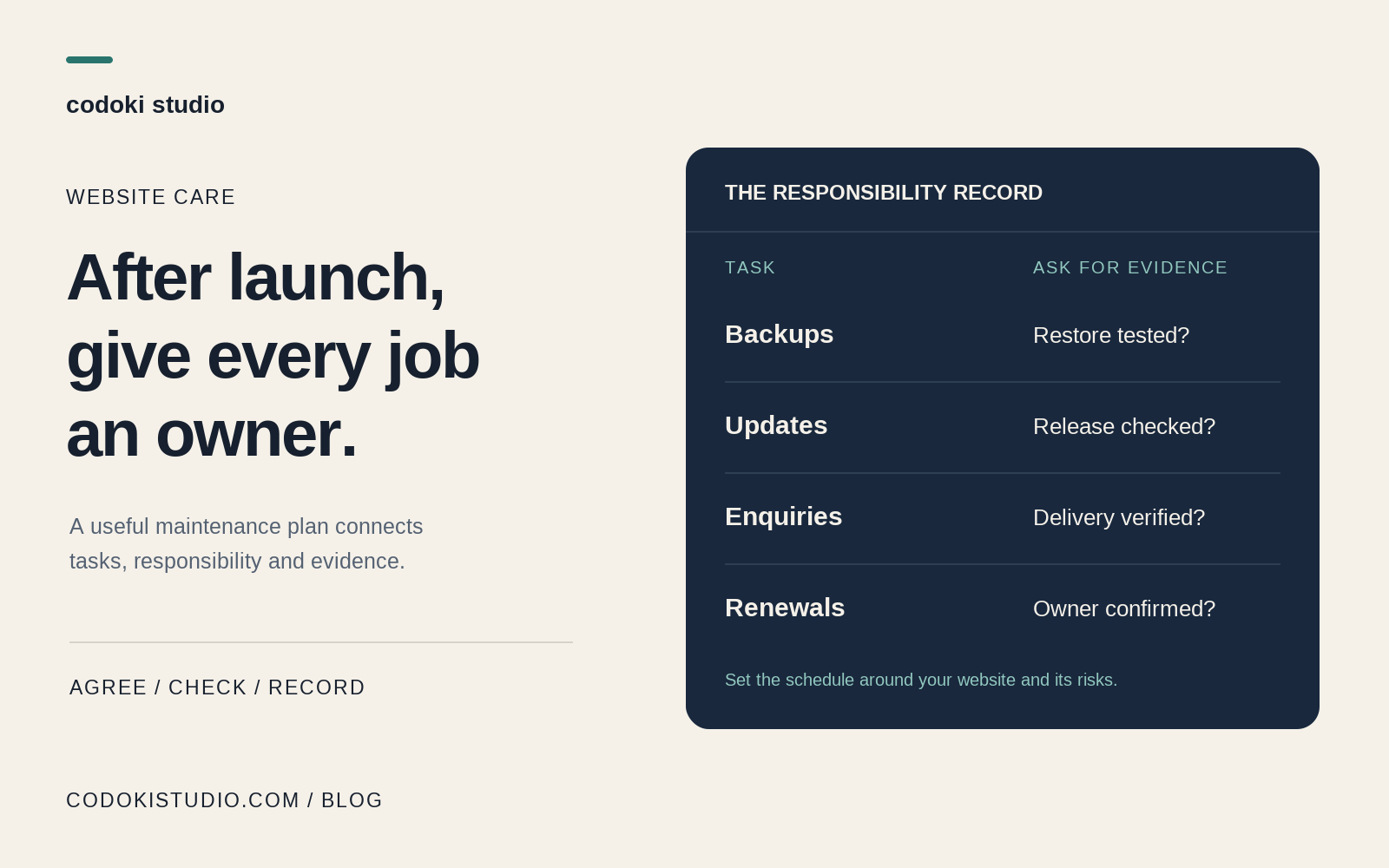
For a small business, the useful starting point is a short responsibility record. List the systems the website depends on, the person responsible for each, the evidence you expect and the trigger for action. You can then compare support proposals against the work your business actually needs.
Separate the website from the services around it
Your website may depend on a domain registrar, hosting platform, content management system, email provider, booking tool and payment service. One supplier may manage several of these, but that does not make their responsibilities interchangeable. A hosting problem and an expired booking subscription need different owners.
- Record each service, its business account owner, renewal date and recovery contact. Store credentials in an appropriate private password manager, not in the maintenance checklist.
- Identify who can approve spending, who can change settings and who provides cover when the usual contact is unavailable.
- Ask which parts are managed by the platform and which still belong to your team or developer. Keep supplier fees separate from maintenance labour.
ICANN advises registrants to renew domains before expiry and check their registrar’s renewal terms. Give that responsibility a named owner. An automatic renewal setting is useful, but the plan should still include checking the payment method, contact details and renewal status. Domain registration and website hosting are separate items to verify.
Ask what a backup would actually recover
A reassuring backup label does not explain which information is protected. Ask whether the backup includes website files, uploaded media, database records and the configuration needed to restore the service. WordPress’s official guidance, for example, distinguishes its files from its database: a typical site needs both for a full restoration.
The schedule should reflect how much information changes and how much recent work the business could tolerate losing. A brochure site edited monthly and an application receiving records throughout the day should not inherit the same assumption. Record the agreed recovery point, retention period, storage location and person authorised to restore.
Ask for a restore demonstration in an isolated environment, with a dated result. Check that the restored site opens and its important functions work. A backup job reporting success and a restore test are different pieces of evidence. Agree the test frequency and repeat it after material changes to the backup or hosting setup. Do not overwrite the live site simply to prove the backup exists.
Make updates a controlled job
The plan should explain who reviews software updates, how urgency is assessed and what gets checked afterwards. Where a representative staging environment is available, use it to review changes before production. Keep test connections from sending real customer messages, creating live bookings or taking payments.
For each release, keep a brief record of the change, the checks performed and the person responsible for the outcome. Identify a fallback before release, including how newer content or records will be handled if an older version is restored. A monthly review meeting must not become a reason to postpone a serious issue until next month.
Check the customer journey as well as the homepage
A page loading successfully does not show that a customer can finish their task. Choose the journeys that matter to the business: an enquiry, a booking request, a download or an account action. Set a routine check and repeat relevant checks after changes to forms, integrations or delivery settings.
- Agree clearly labelled test details and a safe destination with the person receiving messages. Confirm both the on-screen result and the intended delivery.
- Review the mobile layout, links, required fields and understandable error messages for the chosen journey.
- Record failures with the page address, time, expected result and actual result. Keep customer information out of a shared maintenance report.
These checks do not require recording visitor behaviour. A controlled test and a short result log can establish whether an agreed journey works without adding advertising pixels or session recordings.
Use a maintenance record that exposes unfinished work
Consider a fictional local upholstery business with a service website and enquiry form. Its owner and supplier agree the following starting record. The timings are illustrative decisions for this example, not a universal schedule or a Codoki Studio support package.
- Enquiry delivery — office coordinator — weekly and after form changes — labelled test received in the agreed inbox; record time and result.
- Backups — hosting manager — review scheduled job failures when alerted; demonstrate recovery at the agreed interval — retain backup status and restore-test result separately.
- Software changes — developer — assessed when updates or issues arise — record what changed, checks completed and any unresolved problem.
- Domain and hosting renewal — business owner — review upcoming renewals monthly and confirm payment before expiry — retain current expiry dates and renewal confirmation.
- Service information — business owner — monthly and whenever details change — check prices, opening hours and contact details against the current business record.
Suppose the coordinator sees a success message but no email arrives. The record should say “delivery unconfirmed”, assign the investigation and preserve a suitable alternative contact route. It should not show a green tick because the homepage loads. Close the issue only when the agreed delivery check has a recorded result.
Define support boundaries before an urgent request
Ask what counts as a fault, a content edit and a new feature. Agree the contact channel, covered hours, initial response expectation and escalation route. A promise to acknowledge a request within a period is different from a promise to resolve every incident within that period. Dependencies on another provider should be visible.
Before signing, request a sample maintenance report and ask what happens when the arrangement ends: who retains the accounts, what documentation is handed over and how any remaining work is recorded. For an existing site, start by filling the ownership gaps. For a new build, make this record part of the handover discussion so the launch is followed by an agreed operating plan.